BNB Chain Testnet Guide for beginners
Deploy Your First Smart Contract on BNB Chain
turning ideas to code!
BNB Chain is a fast, low-cost blockchain by Binance, designed for building dApps and smart contracts. The BNB Chain Testnet is a sandbox environment where developers can deploy and test contracts using free test BNB, without risking real funds.
In this guide, we’ll go from setting things up, grabbing some test BNB, and deploying a simple smart contract on BNB chain testnet.✅
Let’s dive in!
Step 1. Add BNB Chain Testnet to Metamask
Option 1: Add via Chainlist
Visit Chainlist: Head over to chainlist.org/chain/97.
Connect Your Wallet: Click “Connect Wallet” and select MetaMask.
Add the Network: Click “Add to MetaMask” and approve the prompt in MetaMask to add the BSC Testnet.
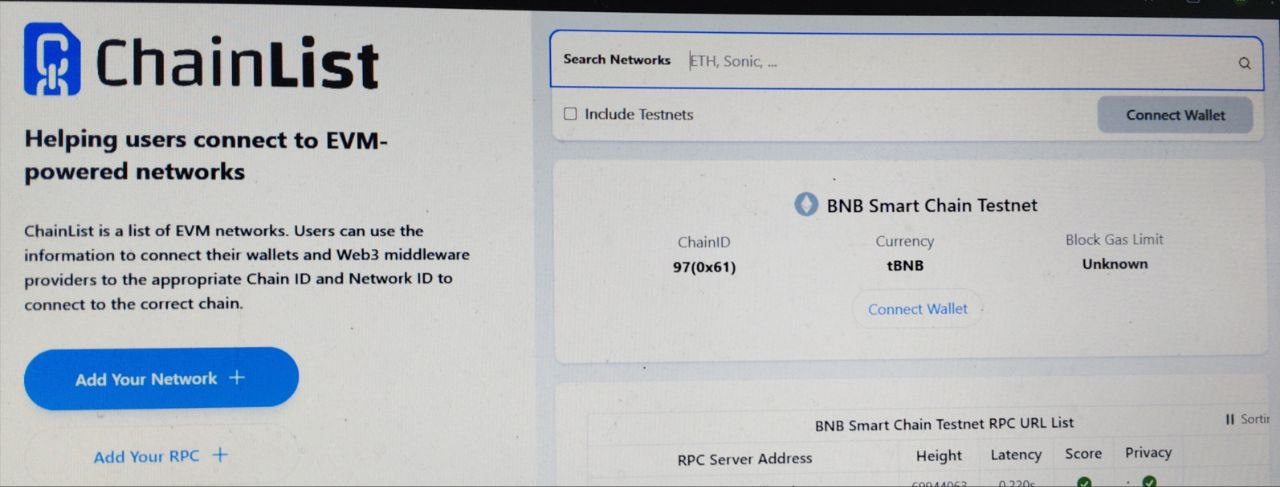
That’s it! Your wallet is now connected to the BNB Chain Testnet.
Option 2: Manual Setup
If you prefer configuring MetaMask manually or want to understand the process, then Follow these steps:
Open MetaMask: Launch the MetaMask browser extension.
Access Network Settings: Click the network dropdown at the top and select “Add Network,” then choose “Add a network manually.”
Enter BNB Chain Details:
     Network Name: BSC Testnet

    RPC URL: https://bsc-testnet- dataseed.bnbchain.org/

     Chain ID: 97

     Currency Symbol: BNB

     Block Explorer URL: https://testnet.bscscan.com
- Save and Switch: Click on Save, & then select BSC Testnet from the network dropdown.
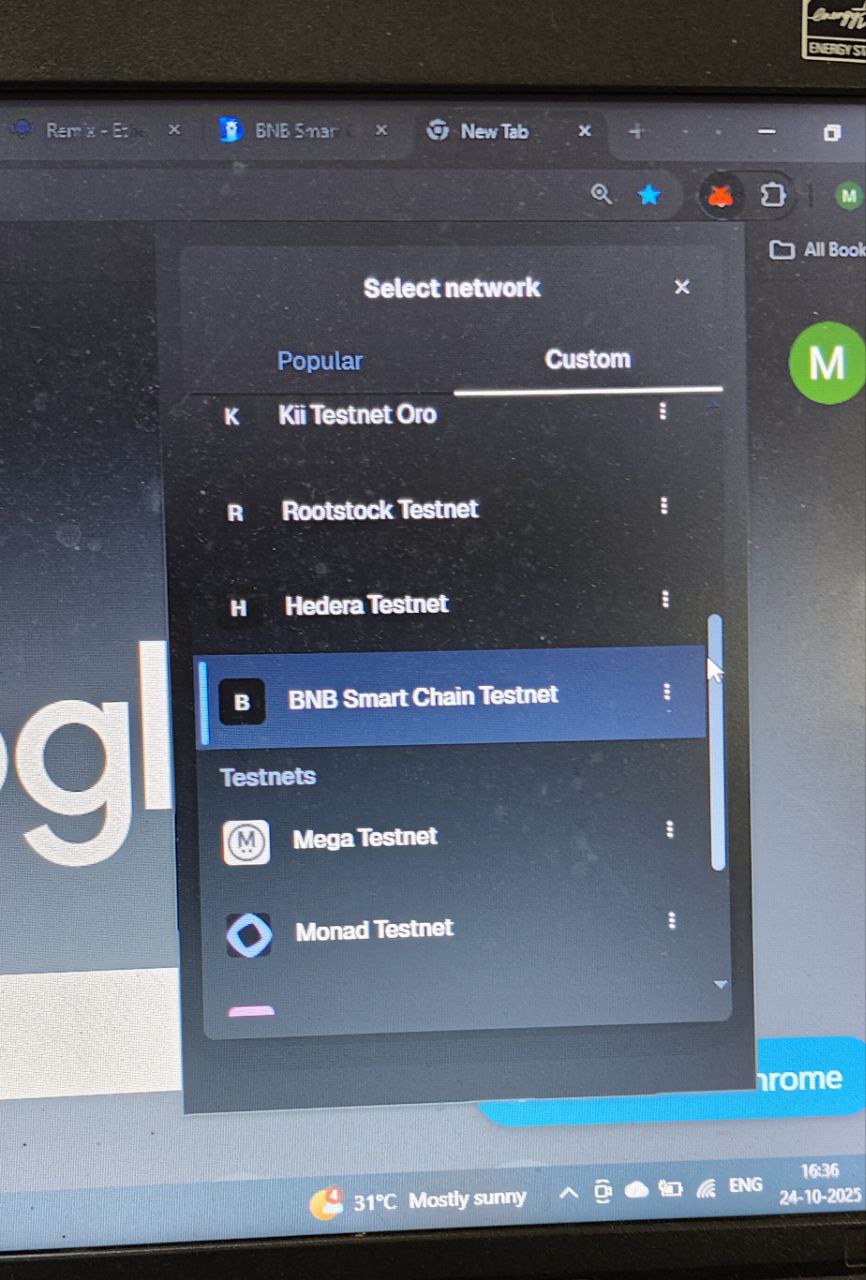
You’re now ready to interact with the BNB Chain Testnet!
Step 2: Grab some Testnet BNB
Before you can deploy your contract, you need some test BNB ,it’s free and safe to use on the Testnet. Here’s how:
Step 2 a : Copy Your MetaMask Address
Open MetaMask
Click on your account name → it copies your address
Step 2 b: Pick a Faucet
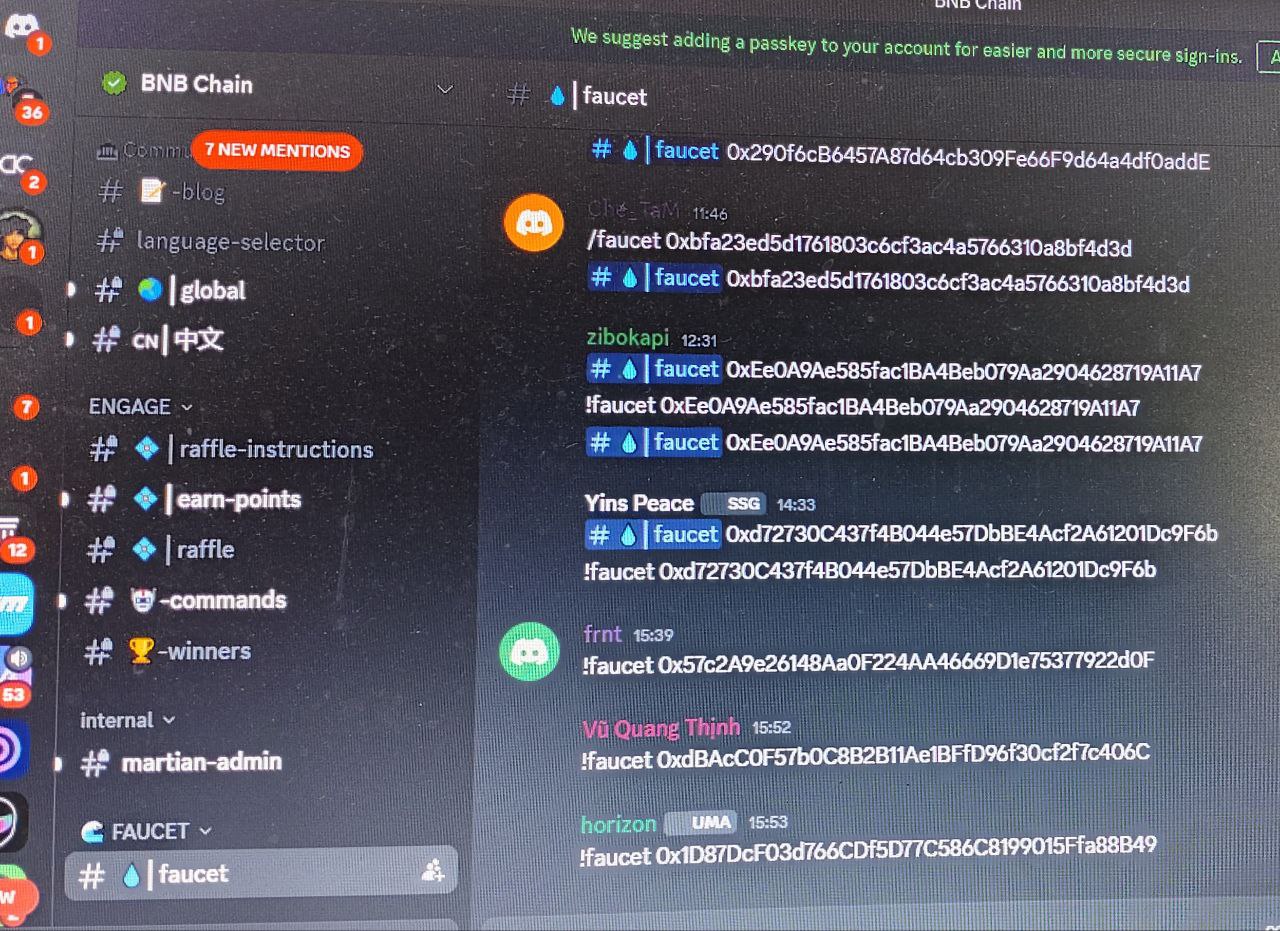
- Official BNB Chain Faucet (Primary)
https://testnet.binance.org/faucet-smart
Join their Discord Server.
Paste your address and request 0.1 tBNB
Limit: 1–2 times per day
- QuickNode Faucet (Backup, fast)
https://faucet.quicknode.com/binance-smart-chain/bnb-testnet
Enter your address, complete captcha, and request tokens
Queues can take ~3 hours—sign up for email alerts
- Chainstack Faucet (If others are down)
https://faucet.chainstack.com/bnb-testnet-faucet
Requires a mainnet ETH history check for anti-abuse
Step 2 c: Wait for Tokens
Most faucets send tokens in 1–5 minutes
QuickNode may take a few hours
Refresh MetaMask → your tBNB should appear!
Step 3. Setup remix IDE
Go to https://remix.ethereum.org
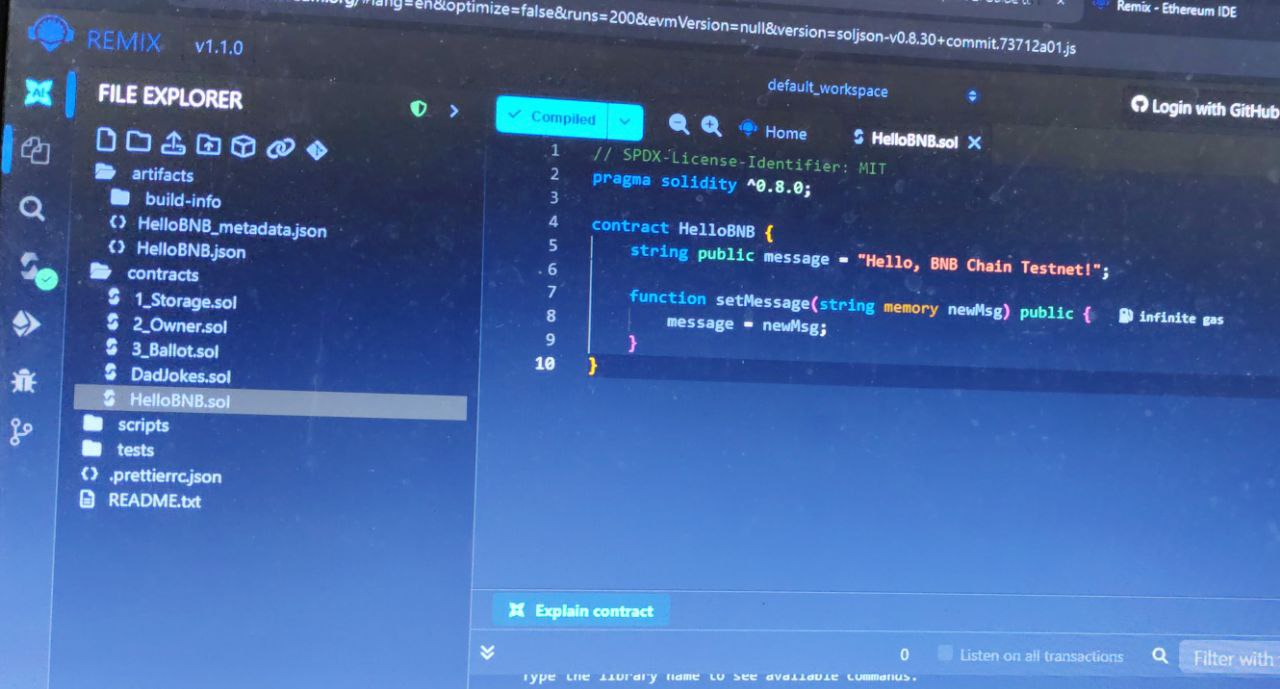
Create a new file named HelloBNB.sol
Paste this simple contract:
// SPDX-License-Identifier: MIT
pragma solidity ^0.8.0;

contract HelloBNB {
    string public message = "Hello, BNB Chain Testnet!";

    function setMessage(string memory newMsg) public {
        message = newMsg;
    }
}
Step 4. Compile the contract
Head over to Solidity Compiler tab in Remix
Select version 0.8.0 or higher
Click Compile HelloBNB.sol
Step 5. Deploy on BNB Testnet
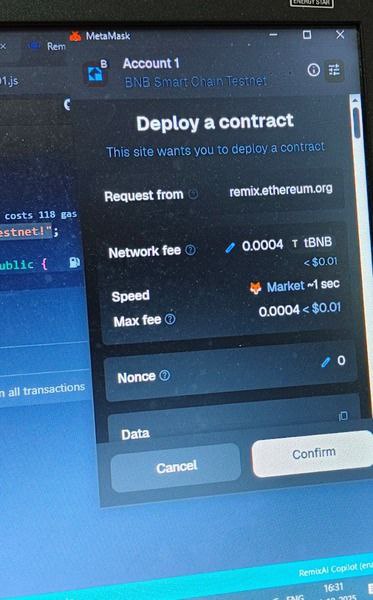
Go to Deploy & Run Transactions
Set Environment to Injected Provider – MetaMask
Make sure MetaMask is on BNB Testnet
Click Deploy and confirm the transaction in MetaMask
Once done, your contract shows up under Deployed Contracts ✅
Step 6. Verify on Testnet explorer
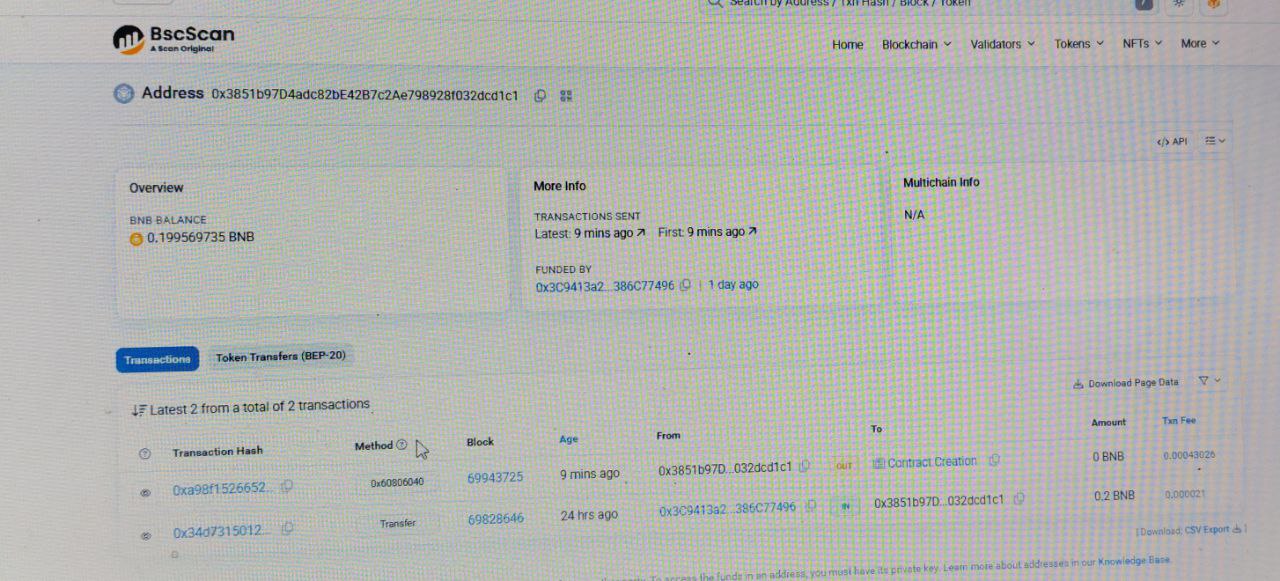
Go to https://testnet.bscscan.com/
Paste your contract address
Boom! Your contract is live on Testnet
📋Quick Dev Checklist
✅ MetaMask connected to BNB Testnet
✅ Received tBNB from faucet
✅ Contract compiled & deployed
✅ Verified on Testnet Explorer
That’s it! You’ve successfully deployed your first smart contract on the BNB Chain Testnet.
Keep experimenting — try updating values, interacting with your contract, or deploying new ones.
Once you feel confident, take the next step and move to the BNB Mainnet to bring your dApp live for real users. 🚀
Thanks for sticking around till the end , now go ahead and build something awesome on BNB Chain!